Transcribed
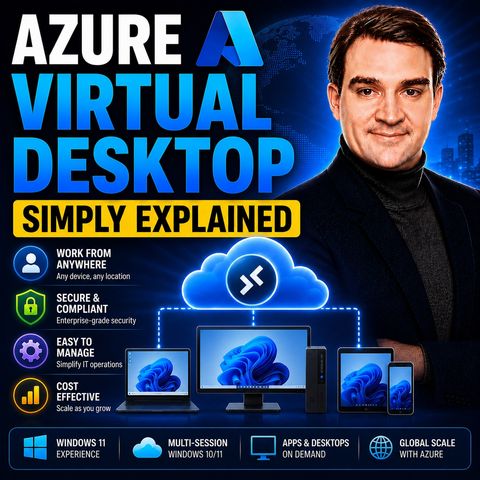
Azure Virtual Desktop - Simply Explained
Jul 17, 2026 ·
18m 47s
Download and listen anywhere
Download your favorite episodes and enjoy them, wherever you are! Sign up or log in now to access offline listening.
Azure Virtual Desktop - Simply Explained
Description
Buying, imaging and securing a laptop for every employee is slow and expensive, and remote work made it riskier. This episode explains Azure Virtual Desktop for IT admins and decision-makers:...
show more
Buying, imaging and securing a laptop for every employee is slow and expensive, and remote work made it riskier. This episode explains Azure Virtual Desktop for IT admins and decision-makers: host pools, application groups, workspaces, Entra ID sign-in, FSLogix profiles and how autoscaling cuts costs.
In this episode
Key takeaways
Worth quoting
“Azure Virtual Desktop is Windows and Windows applications delivered from the cloud to any device. Think of it like a streaming service, but instead of streaming movies and TV shows, you're streaming your work desktop and business applications.” – Mirko Peters (00:52)
“Pooled host pools with Depth first load balancing and auto scaling can dramatically reduce your costs.” – Mirko Peters (07:43)
Explore more on M365.FM
Follow and rate M365.FM in your podcast app, and join the free M365 community at m365con.net.
Become a supporter of this podcast: https://www.spreaker.com/podcast/m365-fm-microsoft-365-azure-cloud-power-platform-ai--6704921/support.
show less
In this episode
- 00:00 – What AVD is not
- 00:48 – The big picture: desktops streamed from Azure
- 03:37 – The old way versus the new way
- 05:18 – Host pools, session hosts and scaling
- 08:01 – Application groups and workspaces
- 11:28 – Identity and access with Entra ID
- 13:34 – User profiles with FSLogix
- 15:30 – Security and cost benefits
Key takeaways
- Azure Virtual Desktop delivers Windows desktops and apps from Azure to any device through the Windows App, with Windows multi-session letting several users share one virtual machine.
- Host pools, application groups and workspaces are the core building blocks, while Microsoft Entra ID, MFA, Conditional Access and the Virtual Machine User Login role control who can connect.
- Start with a pooled host pool, depth-first load balancing and autoscaling for cost efficiency, use FSLogix for profiles from day one and assign access through groups rather than individual users.
Worth quoting
“Azure Virtual Desktop is Windows and Windows applications delivered from the cloud to any device. Think of it like a streaming service, but instead of streaming movies and TV shows, you're streaming your work desktop and business applications.” – Mirko Peters (00:52)
“Pooled host pools with Depth first load balancing and auto scaling can dramatically reduce your costs.” – Mirko Peters (07:43)
Explore more on M365.FM
- Episode page: the full episode with chapters, key quotes and an FAQ on AVD basics
- Azure Virtual Desktop – the service explained here, from host pools and workspaces to FSLogix and autoscaling
- Microsoft Entra ID – handles sign-in to AVD and the group-based assignment of application groups
- Microsoft Azure – runs the session host virtual machines that stream desktops and apps to users
- Related episode: Windows 365 or Azure Virtual Desktop: Choosing the Right Cloud PC Model
Follow and rate M365.FM in your podcast app, and join the free M365 community at m365con.net.
Become a supporter of this podcast: https://www.spreaker.com/podcast/m365-fm-microsoft-365-azure-cloud-power-platform-ai--6704921/support.
Information
| Author | Mirko Peters M365, Azure & AI |
| Organization | m365 FM |
| Website | - |
| Tags |

Copyright 2026 - Spreaker Inc. an iHeartMedia Company

Comments