Transcribed
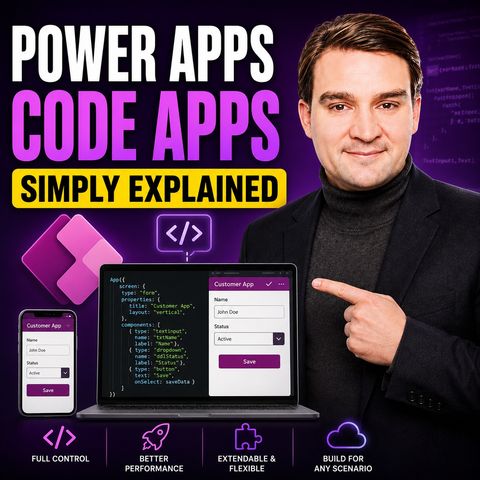
Power Apps Code Apps - Simply Explained
Jul 12, 2026 ·
14m 35s
Download and listen anywhere
Download your favorite episodes and enjoy them, wherever you are! Sign up or log in now to access offline listening.
Power Apps Code Apps - Simply Explained
Description
Hit the limits of the drag-and-drop canvas? This episode explains Power Apps code apps in plain English for pro developers and makers, covering how they differ from canvas apps, how...
show more
Hit the limits of the drag-and-drop canvas? This episode explains Power Apps code apps in plain English for pro developers and makers, covering how they differ from canvas apps, how the SDK connects your React code to Power Platform data, and how governance and licensing work.
In this episode
Key takeaways
Worth quoting
“A code app is a power app that you write in code instead of dragging and dropping.” – Mirko Peters (00:40)
“Canvas apps are pre-furnished rooms. You walk in the furniture is already there. You just rearrange things to your liking. Code apps are empty rooms where you bring your own furniture.” – Mirko Peters (01:32)
Explore more on M365.FM
Follow and rate M365.FM in your podcast app, and join the free M365 community at m365con.net.
Become a supporter of this podcast: https://www.spreaker.com/podcast/m365-fm-microsoft-365-azure-cloud-power-platform-ai--6704921/support.
show less
In this episode
- 00:00 – Intro: what are code apps?
- 00:34 – Code apps versus canvas apps
- 02:15 – Where canvas apps stop and code steps in
- 04:01 – The developer toolbox: VS Code, CLI, React
- 06:06 – What the Power Apps SDK does
- 08:01 – Data sources and connectors
- 09:31 – Governance and licensing
- 11:01 – How it all fits together and next steps
Key takeaways
- Power Apps code apps are written in JavaScript, TypeScript and React in VS Code but still run inside Power Apps with hosting and authentication handled by the platform.
- The Power Apps SDK generates typed model and service files for Dataverse, SharePoint and other connectors, and DLP and environment policies still apply.
- Code apps need a Power Apps Premium license and must be enabled per environment by an admin; they extend canvas apps rather than replace them.
Worth quoting
“A code app is a power app that you write in code instead of dragging and dropping.” – Mirko Peters (00:40)
“Canvas apps are pre-furnished rooms. You walk in the furniture is already there. You just rearrange things to your liking. Code apps are empty rooms where you bring your own furniture.” – Mirko Peters (01:32)
Explore more on M365.FM
- Episode page: the full episode with chapters, quotes and FAQ on Power Apps code apps
- Power Apps code apps – the episode's subject: Power Apps written in React and TypeScript in VS Code
- Power Apps – hosts, authenticates and manages code apps once they are pushed from the CLI
- Canvas app – the drag-and-drop baseline whose styling and library limits code apps are meant to overcome
- Power Platform – supplies connectors, Dataverse, DLP policies, solutions and pipelines that code apps inherit
- Related episode: Power Apps - Simply Explained
Follow and rate M365.FM in your podcast app, and join the free M365 community at m365con.net.
Become a supporter of this podcast: https://www.spreaker.com/podcast/m365-fm-microsoft-365-azure-cloud-power-platform-ai--6704921/support.
Information
| Author | Mirko Peters M365, Azure & AI |
| Organization | m365 FM |
| Website | www.m365.fm |
| Tags |

Copyright 2026 - Spreaker Inc. an iHeartMedia Company

Comments